2026.05.11 - [분류 전체보기] - 코딩공부 C# MS Learn 학습 기록 1
코딩공부 C# MS Learn 학습 기록 1
제미나이와 학습 계획 세우기언어윈도우 (Windows)안드로이드 (Android)게임 (Game)수익화 성격 구분윈도우 프로그램안드로이드 앱게임 (PC/모바일) 제미나이가 정리해준 표코딩 공부 후 수익 창출을
sigma.tistory.com
지난번에 학습한 내용
변수 선언을 학습했다.
char은 문자 하나
그냥 문자 딱 하나 입력하면 됨
string는 문자열
"이 안에 문자를 입력하면 알아서 출력함"
int는 정수
float, double(d), decimal(m)은 실수를 저장한다.
Console.Write("a");

Console.Write("입력하고 싶은거");

Console.Write(111);

Console.Write(1.22f);
f,F 둘 중 하나 아무거나
Console.Write(1.223343);
double는 d 안써도 됨
Console.Write(1.22535323424m);
float: 약 +-1.5 * 10^-45 에서 +-3.4 * 10^38 (7자리)
double: 약 +-5.0 * 10^-324 에서 +-1.7 * 10^308 (15)
decimal: 약 +-1.0 * 10^-28 에서 +-7.92 * 10^28 (28)
실수는 그냥 입력하면 기본으로 double이 된다.
여기서 말하는 7자리, 15에서 16자리 같은 숫자는 소수점 아래로 얼마나 정확하게 표현되는지를 뜻하는 정밀도다.
bool: 그냥 false, true 입력하면 되는 듯하다.
Console.Write(true)

Console.Write(false)
변수 할당과 다시 할당, 변수 초기화를 배웠다.
변수 초기화는 일반적인 의미로 사용되는 게 아니라 초기값 지정이라고 한다.
선언과 할당을 한 줄에 동시에 하는 걸로 보인다.
ms learn이 약간 불친절함. 번역도 간혹 이상한 부분이 있고.
암시적 할당으로 var가 있으며, 눈치껏 적절한 변수로 잘 맞추는 듯하다.
설명에는 웬만하면 사용 안 하는 게 좋다고 한다.
[배운 코드]
string first="Bob";
string greeting="Hello";
string message=greeting+ " "+ first+ "!";
Console.WriteLine(message);

[결과값]
Hello Bob!
문자 변수 선언
[배운 코드]
string first="Bob";
string greeting="Hello";

Console.WriteLine(greeting+ " " +first+"!" );

[결과값]
Hello Bob!
새로운 변수 선언 없이 바로 출력
[배운 코드]
string first="Bob";
string greeting="Hello";
string message= $"{greeting} {first}!";
Console.WriteLine(message);

[결과값]
Hello Bob!
$ 중간에 +나 " " 안넣고 띄어쓰기 구현 가능
[배운 코드]
int version=11;
string updateText= "Update to windows";

Console.WriteLine($"{updateText} {version}");

[결과값]
Update to windows 11
완수 과제로 내가 작성한 코드
[모범답안]
string name = "Bob";
int messages = 3;
decimal temperature = 34.4m;

Console.Write("Hello, ");
Console.Write(name);
Console.Write("! You have ");
Console.Write(messages);
Console.Write(" messages in your inbox. The temperature is ");
Console.Write(temperature);
Console.Write(" celsius.");


[입력한 답안]
string name;
name="Bob";
Console.Write("Hello, ");
Console.Write(name);
int counting;
counting=3;
Console.Write(" You have ");
Console.Write(counting);
Console.Write(" messages in your inbox. the temperature is ");
double t;
t=34.4;
Console.Write(t);
Console.Write(" celsius.");


[출력]
Hello, Bob You have 3 messages in your inbox. the temperature is 34.4 celsius.
완수 과제로 내가 작성한 코드
생각보다 어렵다.
모범답안은 변수 선언과 write를 구분했는데
나는 필요한데로 선언하고 write 출력을 하고 하였다.
약간 어려워서 예상 시간보다 15분 정도 늦게 끝났으며, 1시간 걸렸다.
2-2 이스케이프 시퀀스와 리터럴 학습 기록
다양한 문자 출력 방법을 배웠다. 이스케이프 시퀸스라고 \를 사용하며 지금은 \n, \t, ", , @, $를 배웠다.
\n : 줄 바꿈 기능이다.
\t : 탭 기능.
" : 큰 따옴표 리터럴, 큰 따옴표를 문자로 출력 가능.
\ : 역 슬래시 리터럴 이용을 배웠다.
@ : 전체를 리터럴로 하여 이스케이프 시퀸스를 일일히 입력하지 않아도 된다.
$ : 여러 변수를 동시에 출력 가능하도록 하고 띄어쓰기를 위해 큰 따옴표를 계속 입력하지 않아도 된다.
$@: 동시에 입력하면 리터럴로 변환하고 변수를 동시에 이용 가능하다.
[배운 코드]
Console.WriteLine("Hello\nWorld");

[결과값]
Hello
World
\n 들여쓰기 즉 줄 바꿈
[배운 코드]
Console.WriteLine("Hello\tworld!");

[결과값]
Hello    world!
\t 탭 기능
[배운 코드]
Console.WriteLine("c:\\source\\repos");

[결과값]
c:\source\repos
\\ 역슬래시를 리터럴 취급 즉 문자로 사용 가능
[배운 코드]
Console.WriteLine("Generating invoices for customer \"Contoso Crop\"...\n");
Console.WriteLine("Invoice:1021\t\tComplete!");
Console.WriteLine("Invoice:1022\t\tComplete!");
Console.Write("\nOutput Directory:\t");

[결과값]
//Generating invoices for customer "Contoso Crop"...

//Invoice:1021        Complete!
//Invoice:1022        Complete!

//Output Directory:
응용
송장 만들기
결과값에서 일부 단어를 명령어로 인식해서 주석처리함.
[배운 코드]
Console.WriteLine("Generating invoices for customer \"Contoso Crop\"...\n");
Console.WriteLine("Invoice:1021\t\tComplete!");
Console.WriteLine("Invoice:1022\t\tComplete!");
Console.Write("\nOutput Directory:\t");
Console.Write(@"c:\invoices");

[결과값]
Generating invoices for customer "Contoso Crop"...

Invoice:1021        Complete!
Invoice:1022        Complete!

Output Directory:    c:\invoices
@를 사용하여 \\를 사용하지 않고 바로 출력 가능하도록 하여 완성
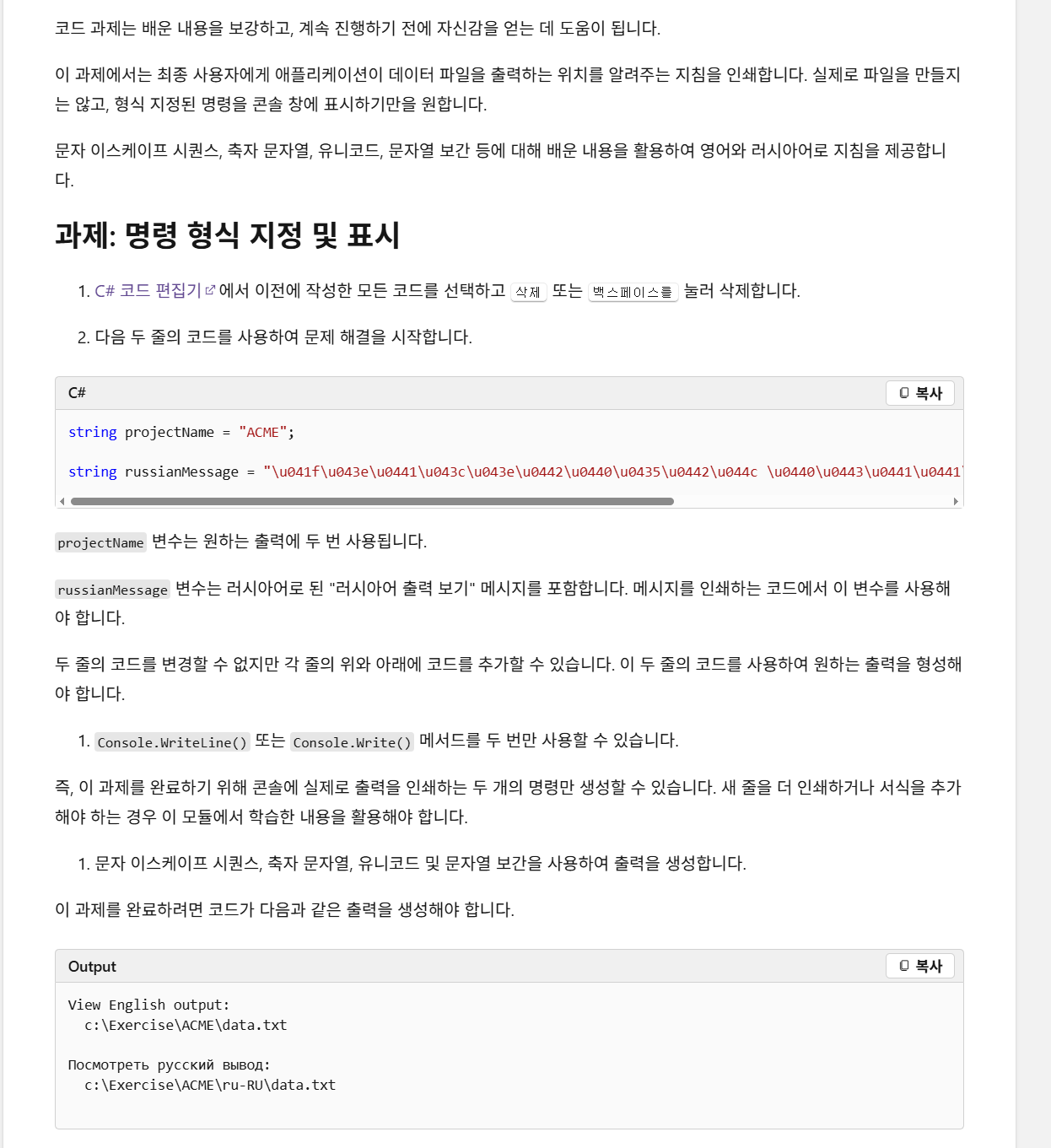
[모범 답안]
string projectName = "ACME";
string englishLocation = $@"c:\Exercise\{projectName}\data.txt";
Console.WriteLine($"View English output:\n\t{englishLocation}\n");

string russianMessage = "\u041f\u043e\u0441\u043c\u043e\u0442\u0440\u0435\u0442\u044c \u0440\u0443\u0441\u0441\u043a\u0438\u0439 \u0432\u044b\u0432\u043e\u0434";
string russianLocation = $@"c:\Exercise\{projectName}\ru-RU\data.txt";
Console.WriteLine($"{russianMessage}:\n\t{russianLocation}\n");


[작성한 답안]
string projectName = "ACME";

string russianMessage = "\u041f\u043e\u0441\u043c\u043e\u0442\u0440\u0435\u0442\u044c \u0440\u0443\u0441\u0441\u043a\u0438\u0439 \u0432\u044b\u0432\u043e\u0434";

Console.WriteLine($@"View English output:c:
\Exercise\{projectName}\data.txt");

Console.Write($"\n {russianMessage}:\n\t c:Exerise\\{projectName}\\ru-Ru\\data.txt");

[출력]
View English output:
  c:\Exercise\ACME\data.txt

Посмотреть русский вывод:
  c:\Exercise\ACME\ru-RU\data.txt
마지막 퀴즈로 나온 문제를 푸는데 아직 갈길이 멀었다.
내가 작성한 것은 있는 그대로 write에 넣어서 가독성이 안좋고
모범 답안은 변수를 선언해서 가독성이 좋게 하였다.
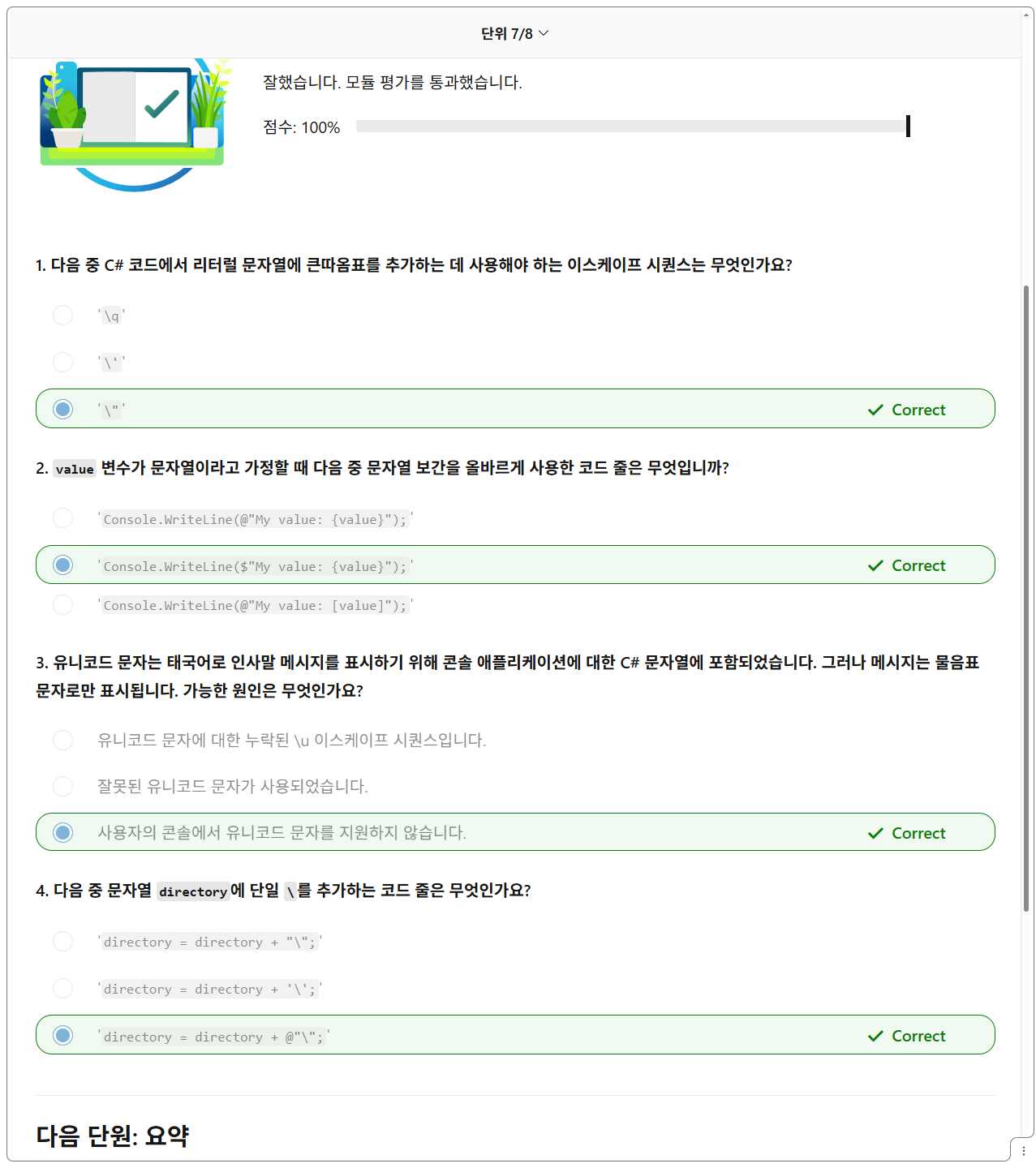
그래도 마지막 퀴즈는 이번에도 다 맞췄다,
3개만 더 하면 2번째도 끝이다
'c# 공부' 카테고리의 다른 글
| 코딩공부 C# MS Learn 학습 기록 1 (0) | 2026.05.11 |
|---|